
Build an interactive short drama
This tutorial builds Last Train to the Moon, a five-act interactive anime drama with four AI characters, two free-text Agent interactions, fixed choices, a host action, three endings, and English, Japanese, and Simplified Chinese releases.
The finished project publishes one stable runtime endpoint. The included web host uses that endpoint to render the same story and presentation outside Vifu.
Before you start
You need access to Vifu and one provider that can power the character Agents. The tutorial begins with an empty project and shows every creator step. Images and audio improve the presentation, but the interaction flow can be built and tested before every media asset is ready.
What you will build
The player is a copy made from the memories of Yuma Asakura. Thirteen minutes before Mizuki's wedding, the player must decide whether to obey an order to kill her, accept a new identity, or break the Moon Crown's control.
The first release contains:
- five acts and three conditional endings;
- Mizuki, Kohaku, Gakuto, and Shion as project Agents;
- a fixed player character named Yuma;
- two free-text moments evaluated by Mizuki and Shion;
- a hold action implemented by the game host;
- six portrait backgrounds, four transparent character images, and five audio tracks;
- one 9:16 presentation shared by the editor, Preview, and published endpoint.
Watch the completed game
This capture starts a fresh session against the published endpoint and follows the game through player choices, Agent interactions, the host action, and the true ending.
1. Create the project
Open Vifu and use the project menu in the header. Select Create project, enter Last Train to the Moon, and create it. Vifu generates the project slug from the name.
The rest of this tutorial uses:
last-train-to-the-moonTo continue from an editable project file instead, open the same project menu, select Import .vf project, and choose the file. Vifu creates a new project, restores its draft, Agent Profile versions, data, and media, then lists each provider that needs a credential on Providers. Import never overwrites an existing project. Read Project files for the portable format, included resources, and security boundary.
2. Connect a provider
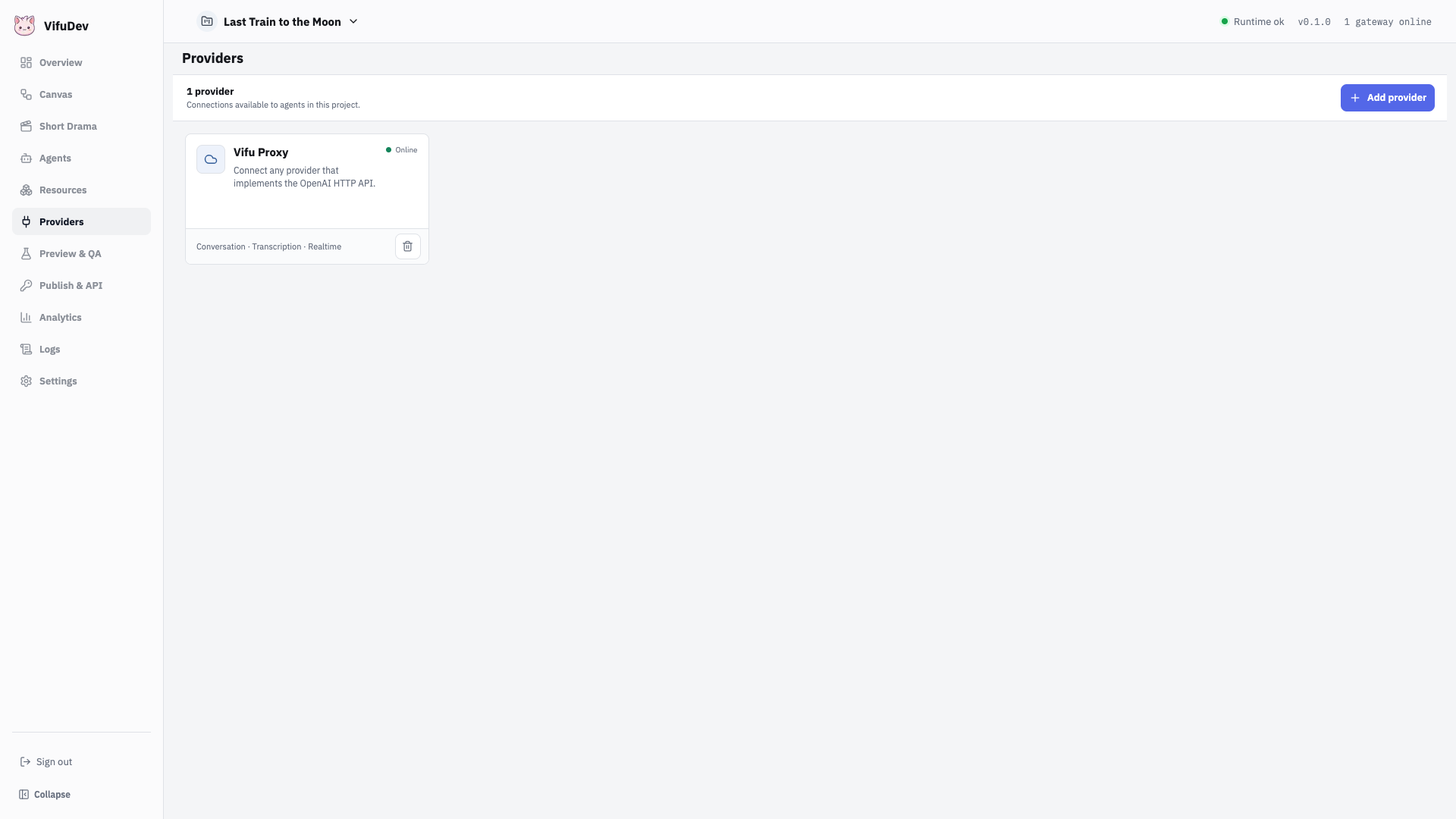
Open Providers, select Add provider, and choose the adapter that matches the Agent service you want to use. This project uses an OpenAI-compatible provider for the character Agents.
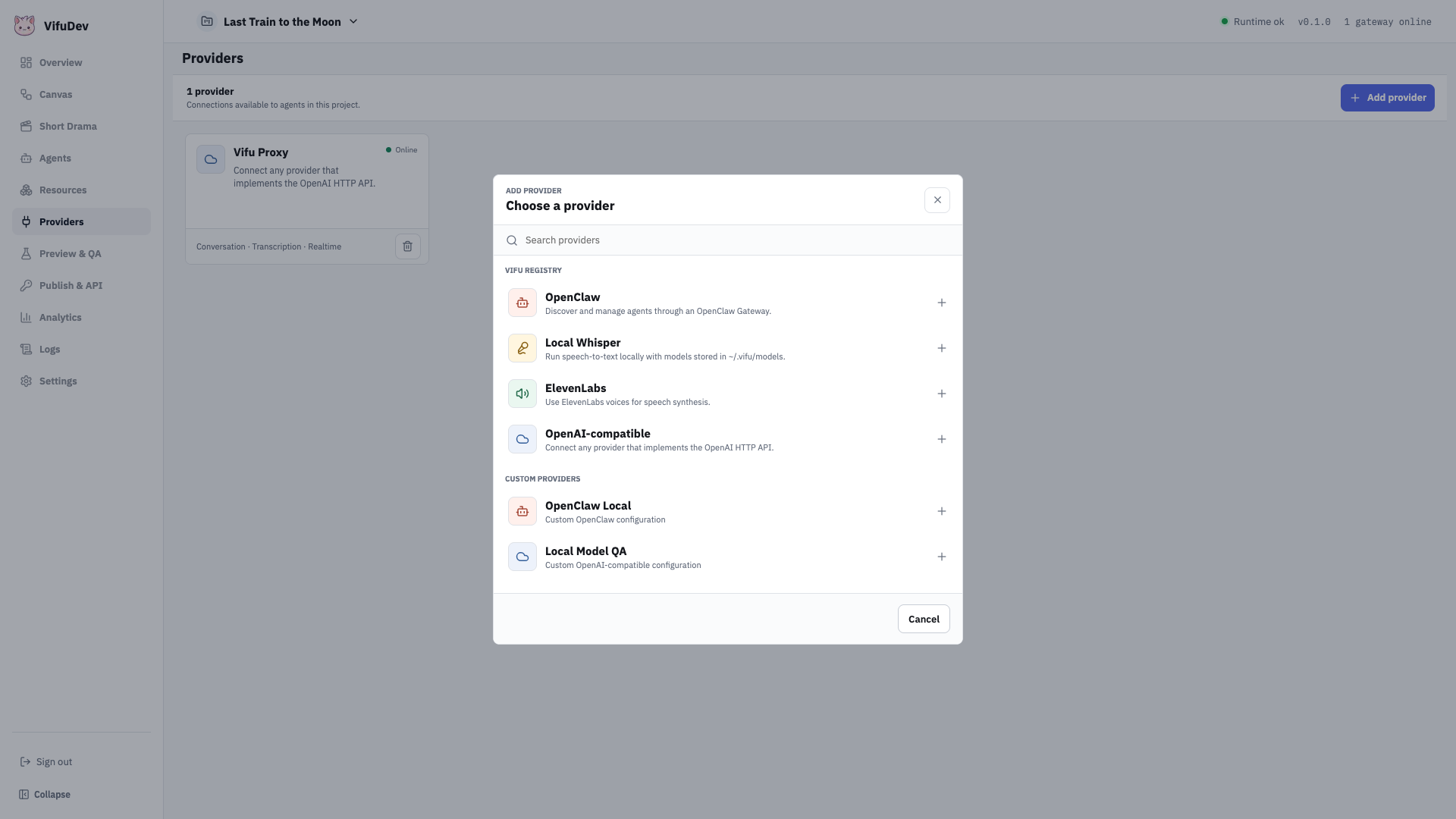
Enter the provider's base URL and credential in the configuration form. Save it, run the connection test, and confirm that the service is reachable. Provider credentials are resolved by Vifu Server when an Agent runs; they are not included in the published Game release or browser session.
3. Add the cast as Agents
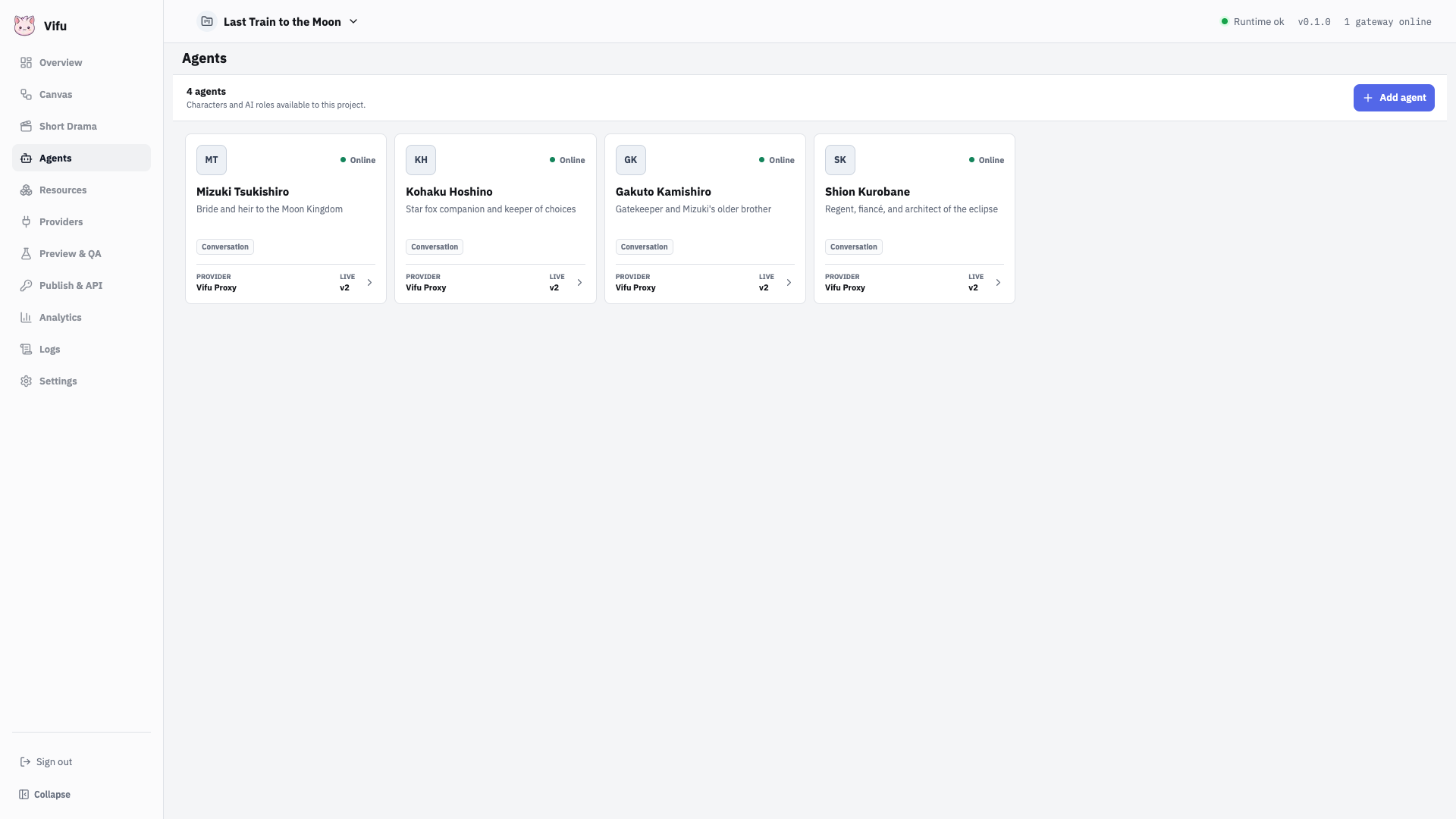
Open Agents and add one Agent for every character that needs model-driven behavior. Each Agent selects a provider and keeps its own persona, capabilities, and version history.
For this game, create:
| Agent | Runtime responsibility |
|---|---|
| Mizuki Tsukishiro | Judges trust, selflessness, and shared memories |
| Kohaku Hoshino | Companion and keeper of choices |
| Gakuto Kamishiro | Gatekeeper and source of the hidden history |
| Shion Kurobane | Antagonist who tests identity and resistance |
The player character is not an Agent. It is configured separately in the Short Drama cast.
4. Import the presentation resources
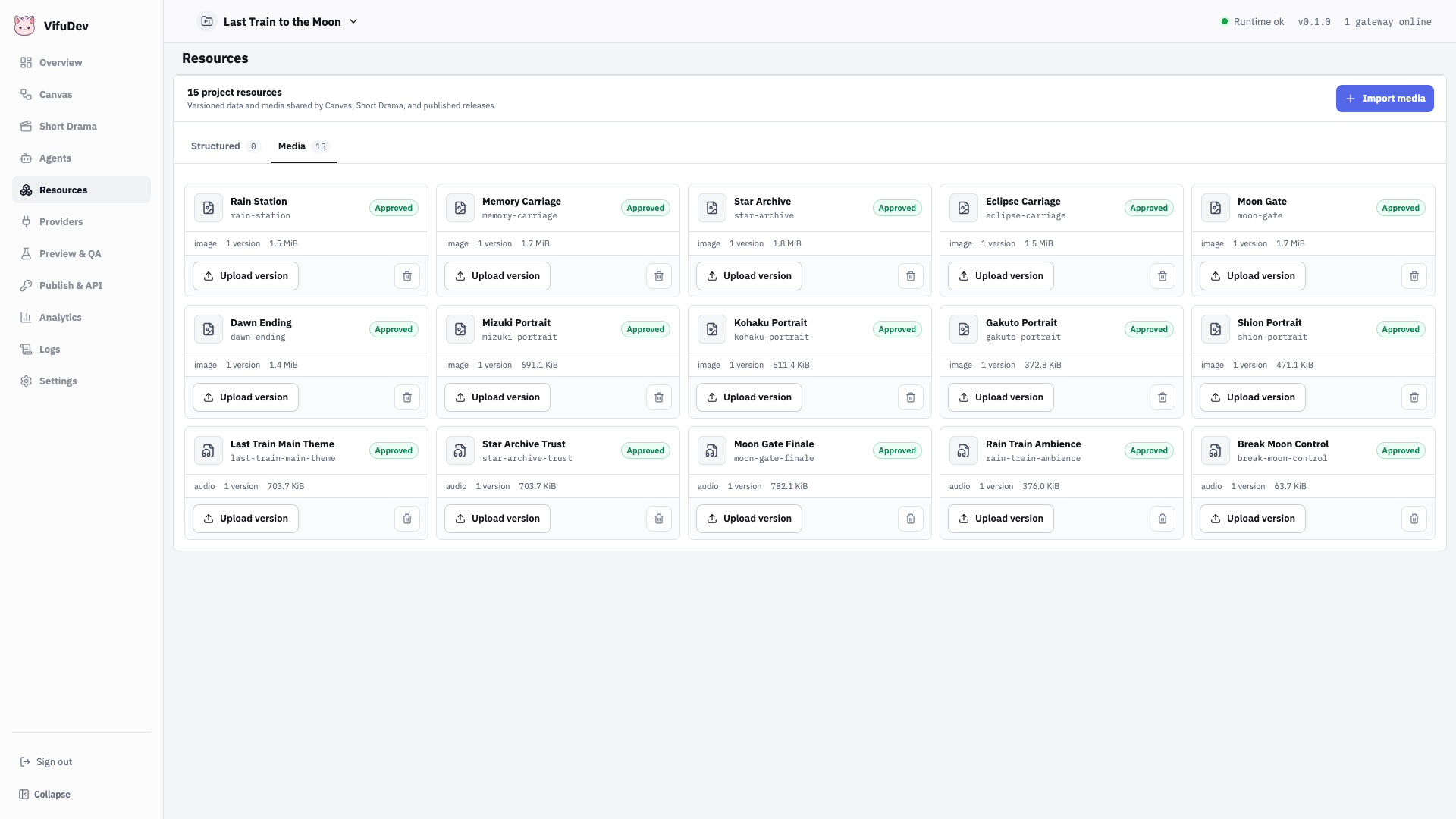
Open Resources, switch to Media, and import the backgrounds, character art, music, ambience, and effects. Approve the version that should be available to a release.
Use these source formats for a portrait short drama:
- backgrounds: 9:16 images, ideally
1080 × 1920; - characters: transparent PNG or WebP images;
- audio: browser-compatible music, ambience, and effects;
- alternate cuts: create another version instead of replacing a published file.
Vifu keeps the source image intact. Short Drama controls the presentation viewport and fit, so a wide imported image can still be framed for a portrait release.
5. Build the story in Short Drama
Open Short Drama and set the presentation to 9:16, 1080 × 1920. Open Cast and add the player plus the four project Agents.
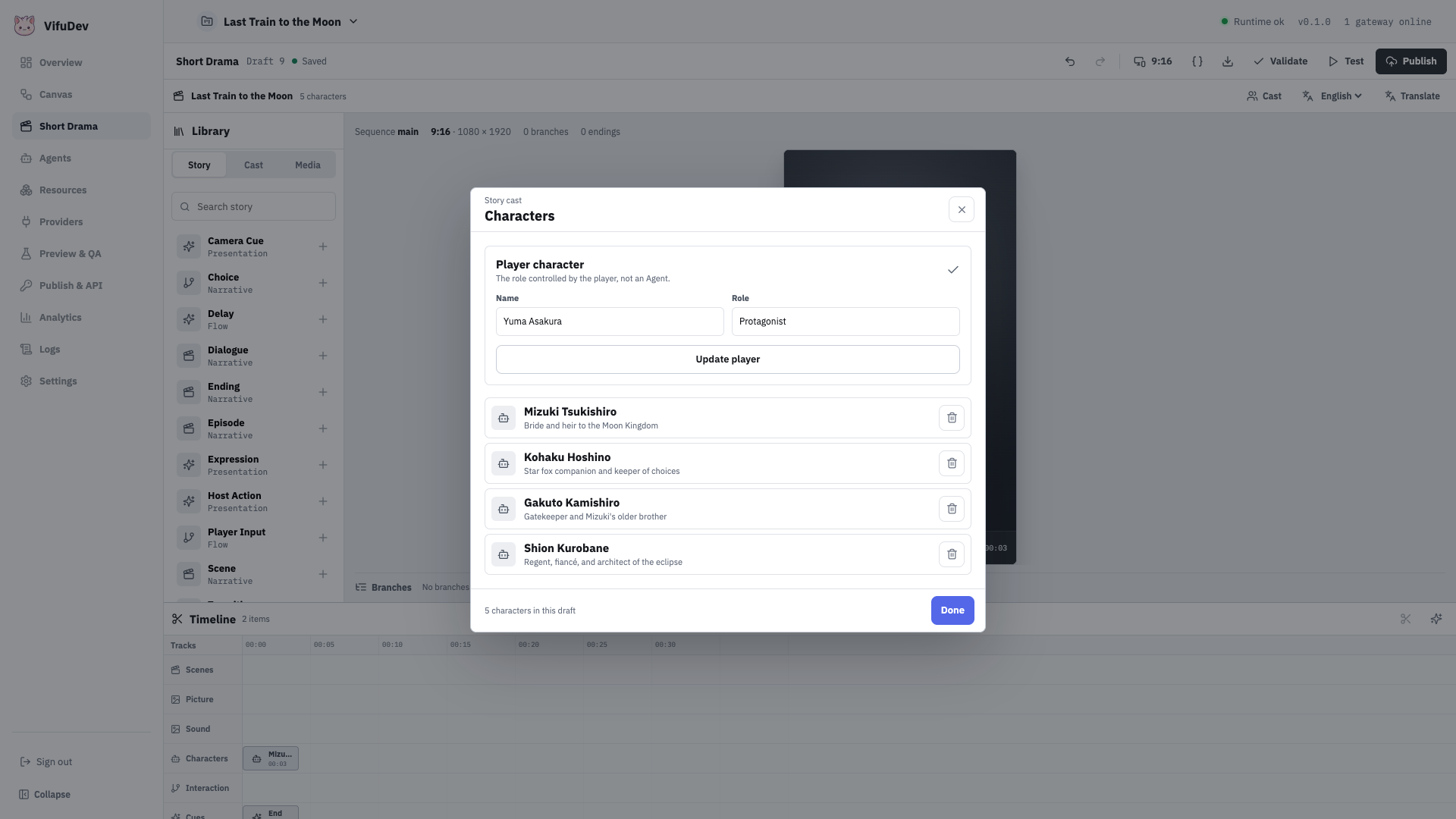
Build the main sequence in five acts. Add story blocks from the Library and place their media on the timeline:
- Use Scene to establish each carriage and its story beat.
- Use Choice for fixed player decisions and deterministic state changes.
- Use Player Input for the two free-text moments.
- Use Host Action for the physical hold interaction at
00:13. - Use Ending for the true, bittersweet, and failed outcomes.
Keep story truth deterministic. Agent nodes interpret player intent and produce bounded state changes; they do not rewrite the plot or invent a new ending.
The final choice checks trust, memories, identity, and selflessness before it enables the true ending.
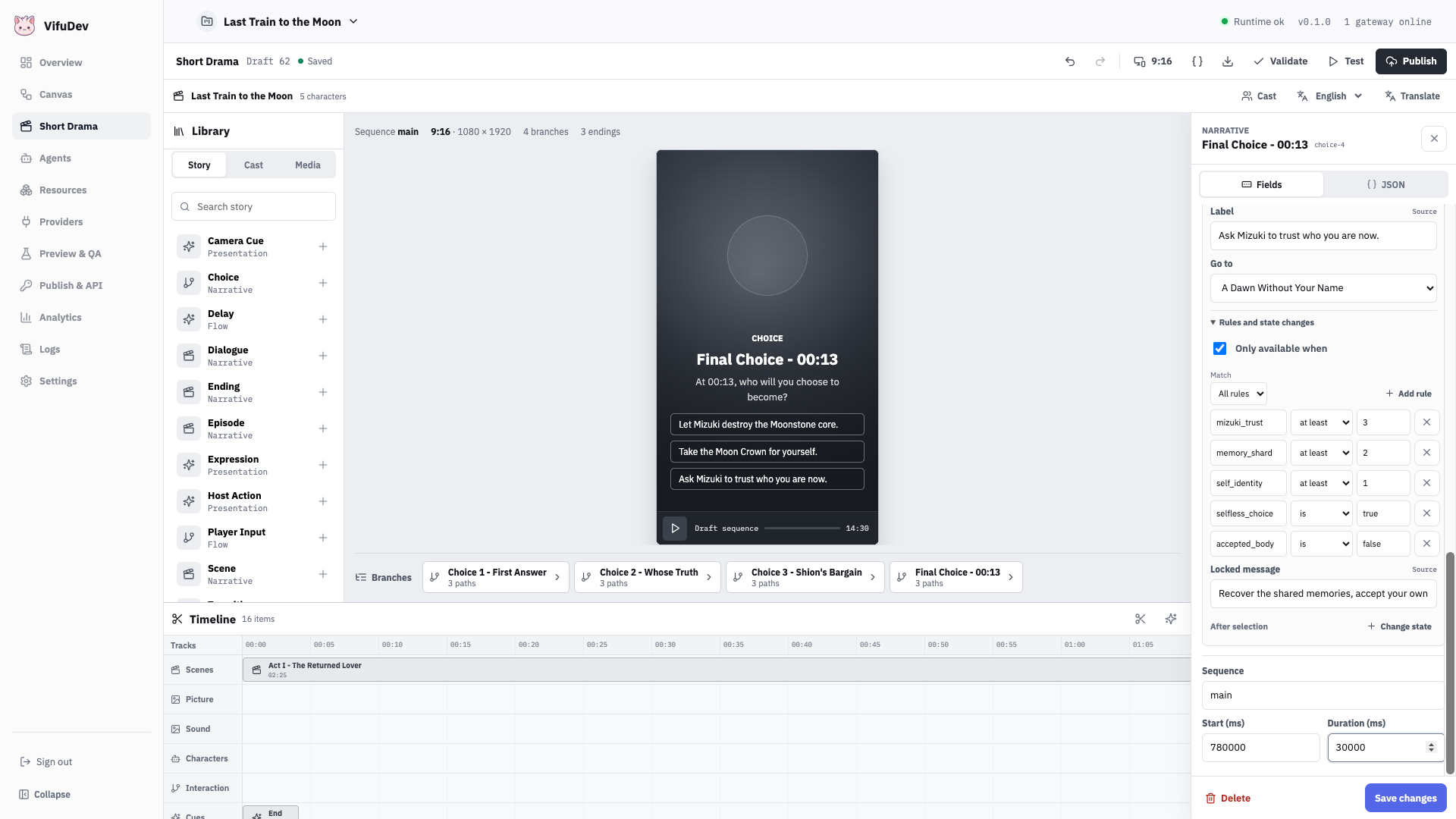
Preview media while editing
Move the playhead across the timeline. The editor monitor renders the current Picture and Characters tracks using the selected viewport, while Sound tracks remain available for playback. This is the quickest way to find framing and timing problems before running the game.
6. Connect Agent and state flow in Canvas
Short Drama and Canvas edit the same draft. Short Drama is optimized for story order, cast, media, and timing. Canvas shows the headless runtime graph that will become the endpoint.
Open Canvas and connect each free-text input to its Agent node, then route the resulting state to the next choice. Configure the Host Action target and make every ending reachable from an explicit condition.
For Last Train to the Moon, the important state is:
mizuki_trust
memory_shard
self_identity
selfless_choice
accepted_body
control_resistance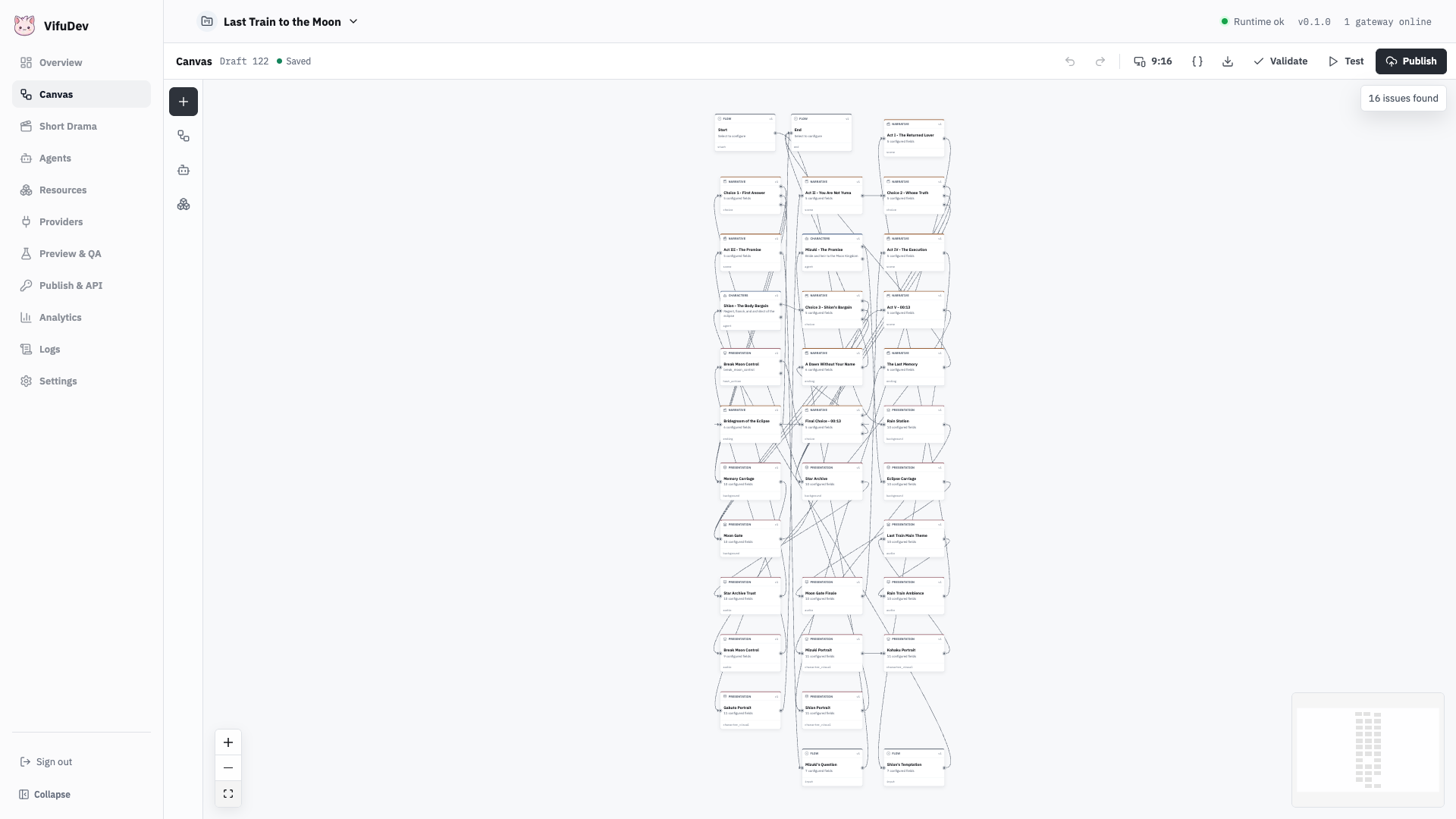
7. Add and review languages
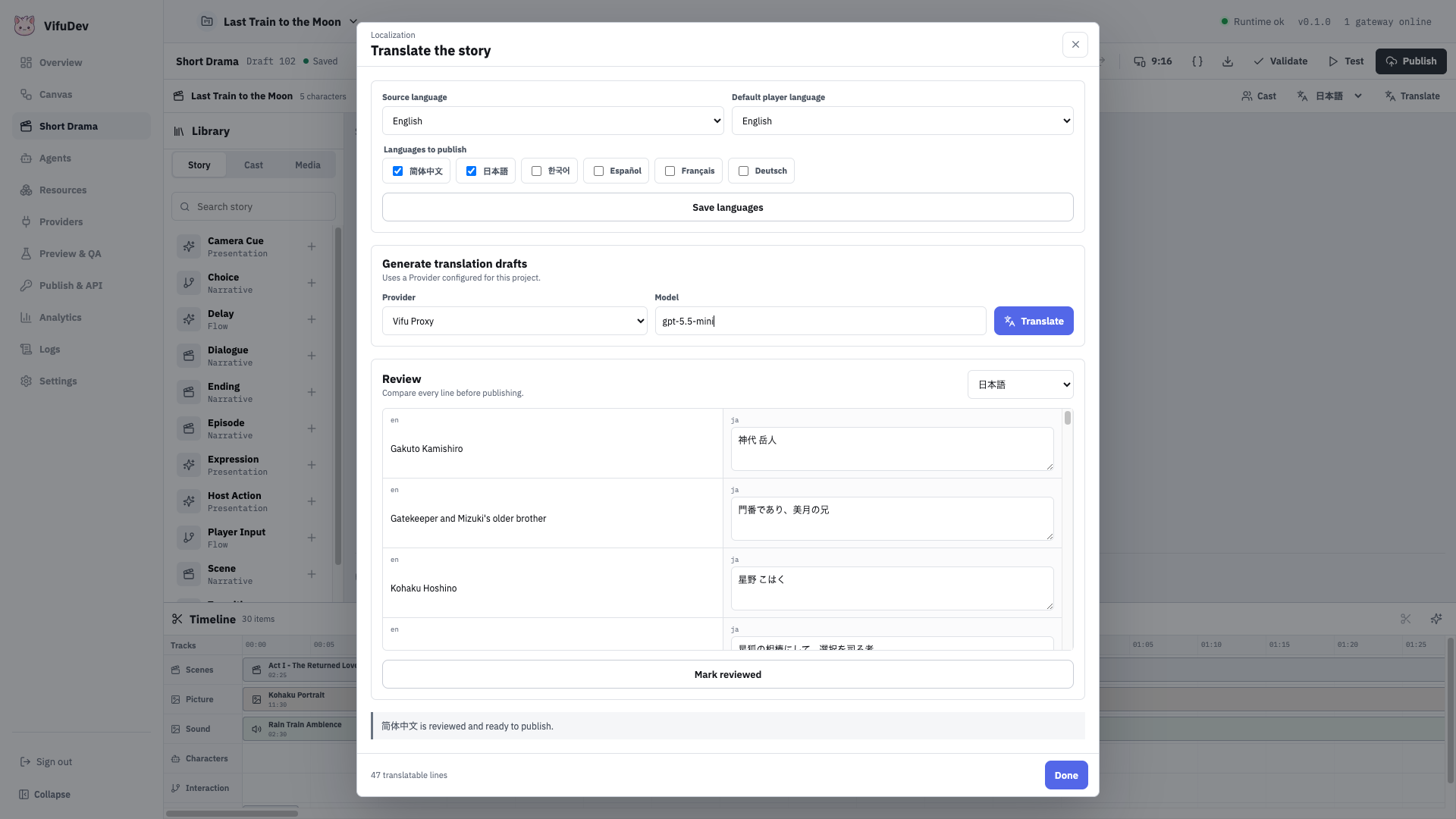
Keep one source locale, then add Japanese and Simplified Chinese as target locales. Select Translate, review every generated string, and mark each target reviewed.
Review the complete player surface:
- scene titles and descriptions;
- choice prompts, labels, and locked reasons;
- free-text prompts;
- host action copy;
- ending names and descriptions.
Changing a source string makes its target translation require review again.
8. Run Preview and QA
Open Preview & QA, validate the draft, and start a preview in each language. Test every choice path, both Agent inputs, the hold action, and all three endings.
The reference host runs the same compiled runtime used by a published release. Its portrait stage also confirms the active background and character bindings.
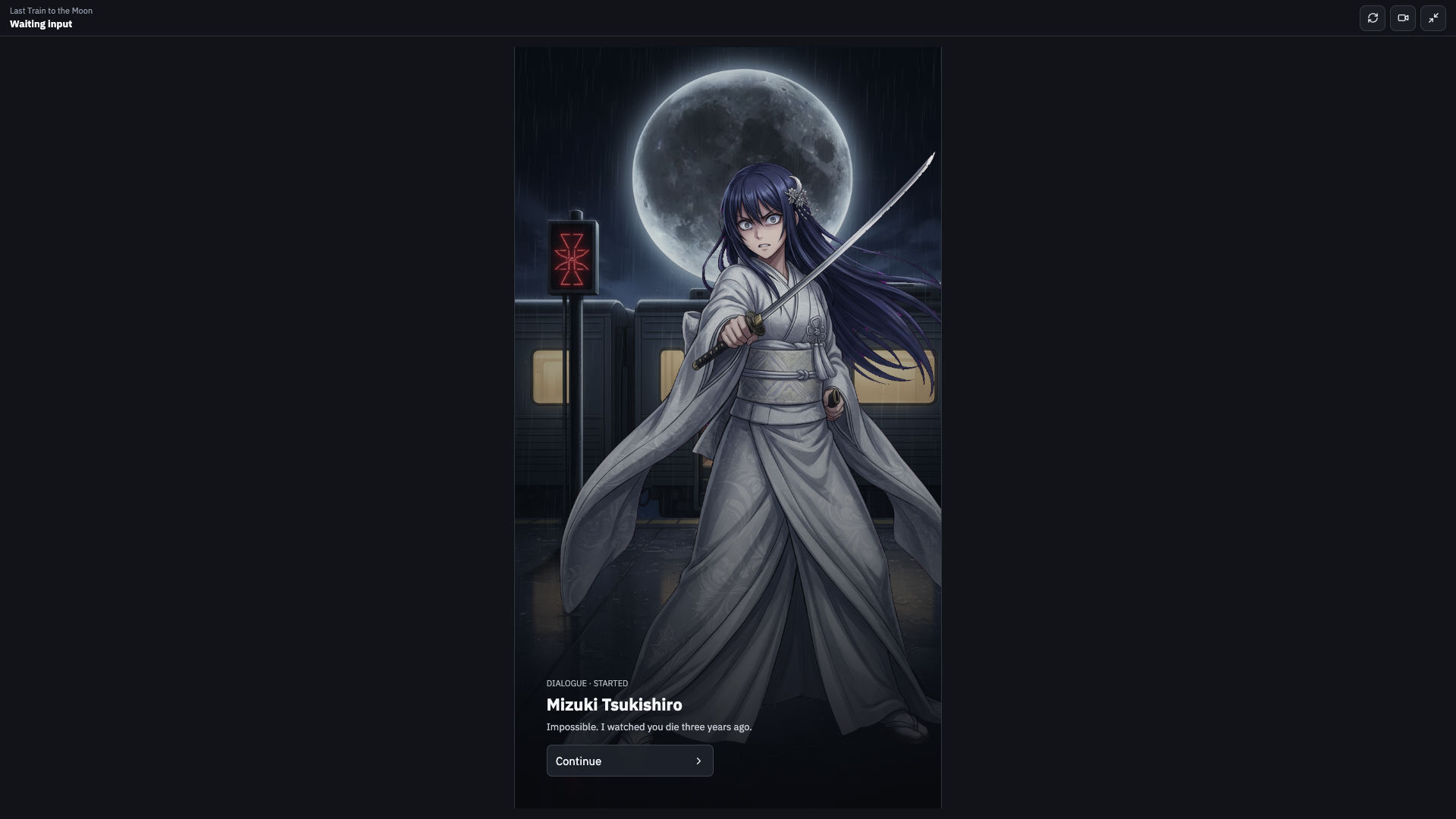
Before publishing, confirm:
- there are no structural blockers;
- the true ending can be reached from a new session;
- an unavailable ending shows a clear locked reason;
- the Agent effects finish and return the expected state types;
- the Host Action can complete and the session resumes;
- English, Japanese, and Simplified Chinese all start correctly.
To export a playthrough, select the video action after Preview starts, choose the current browser tab with tab audio, play the route you want to preserve, and finish the recording. Vifu downloads MP4 when the browser supports it and WebM otherwise. Choices, Agent responses, and Host Actions in the saved file come from that real session.
9. Publish the playable project
Save the current draft, run validation, and publish the approved release. Open Publish & API to confirm which release is active.
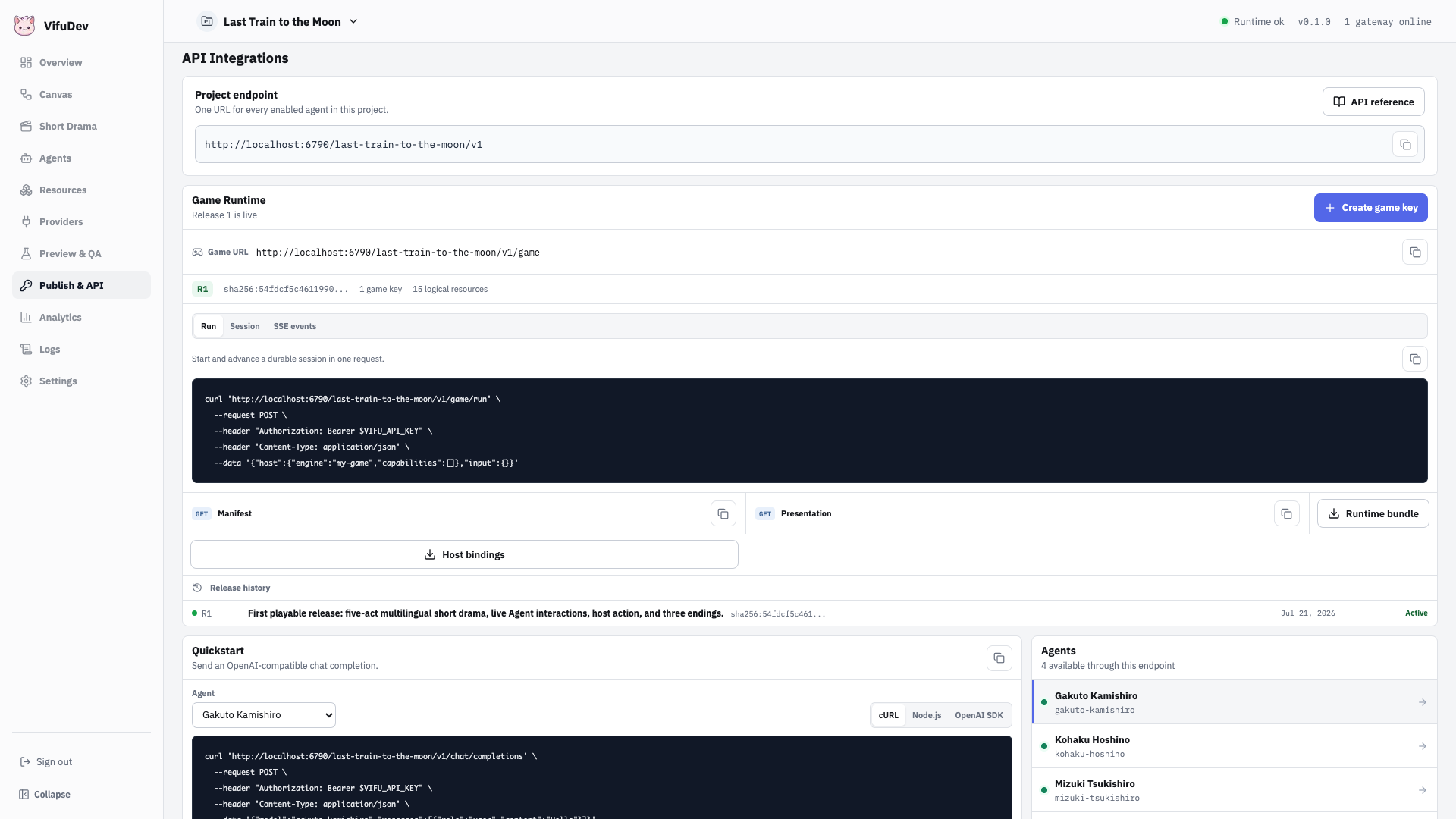
Return to Short Drama and select Export playable Web package. Vifu creates a revocable runtime channel and downloads:
last-train-to-the-moon-web.zipThe package contains the portrait player, approved media, project configuration, and a browser launch credential scoped to this project. It does not contain an administrator key, management API key, or Provider credential. The launch channel can be revoked from Publish & API.
Use Project files when another creator needs the editable .vf source. Use the Web package when a player or static host needs the published experience.
10. Run the endpoint-only Web package
Extract the downloaded ZIP and serve it as static files:
unzip last-train-to-the-moon-web.zip -d last-train-web
cd last-train-web
python3 -m http.server 4180
Open http://127.0.0.1:4180.
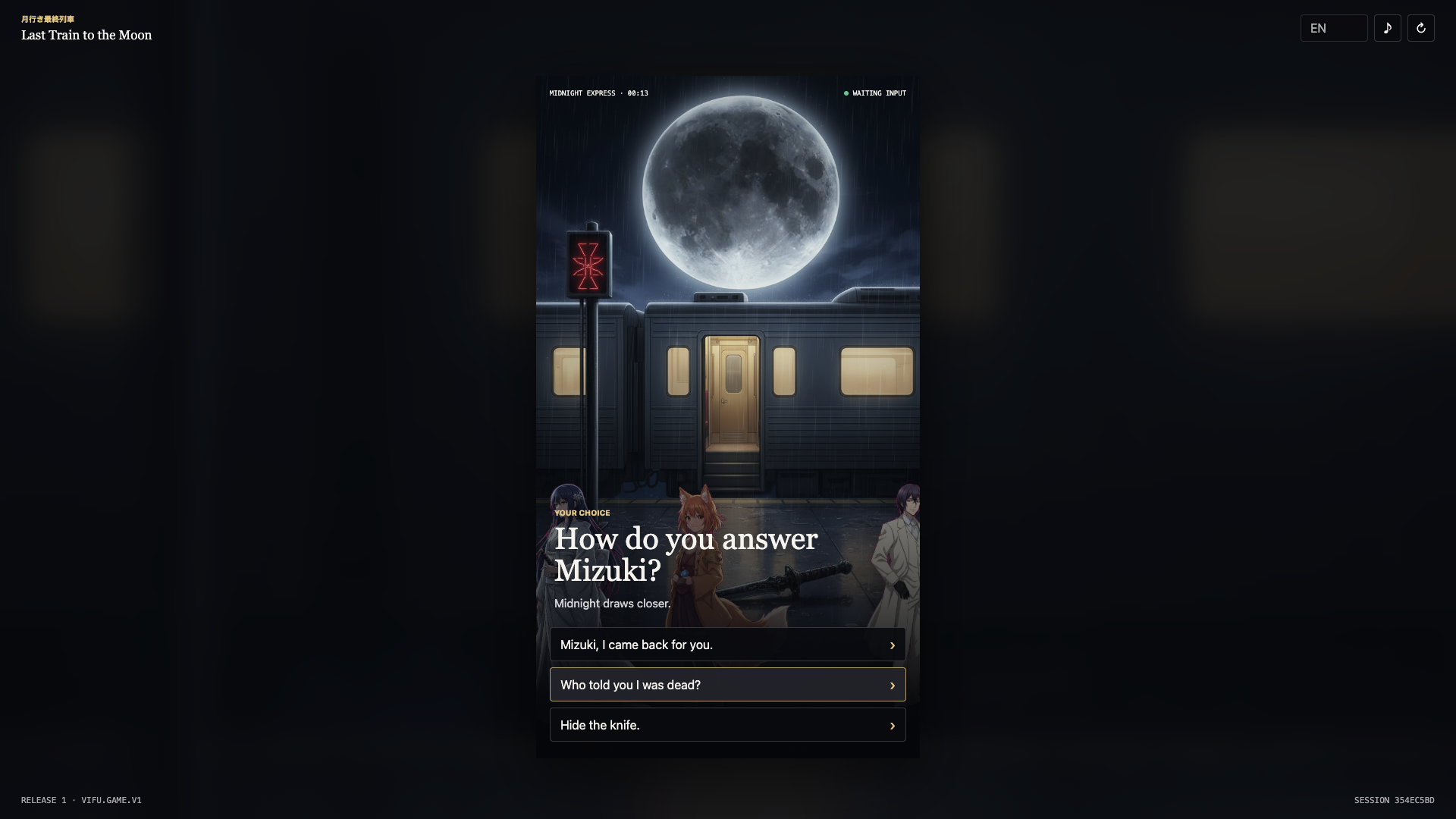
The player connects to the same project release used by Preview:
- it exchanges the package's runtime channel credential at
/{project-slug}/v1/runtime/launch; - Vifu returns a short-lived launch session; and
- the player sends JSON-RPC requests to
/{project-slug}/v1/rpc.
The exported player does not use Dashboard management APIs or expose Provider credentials. Upload the extracted folder to any static Web host to publish the same experience elsewhere.
11. Inspect behavior after release
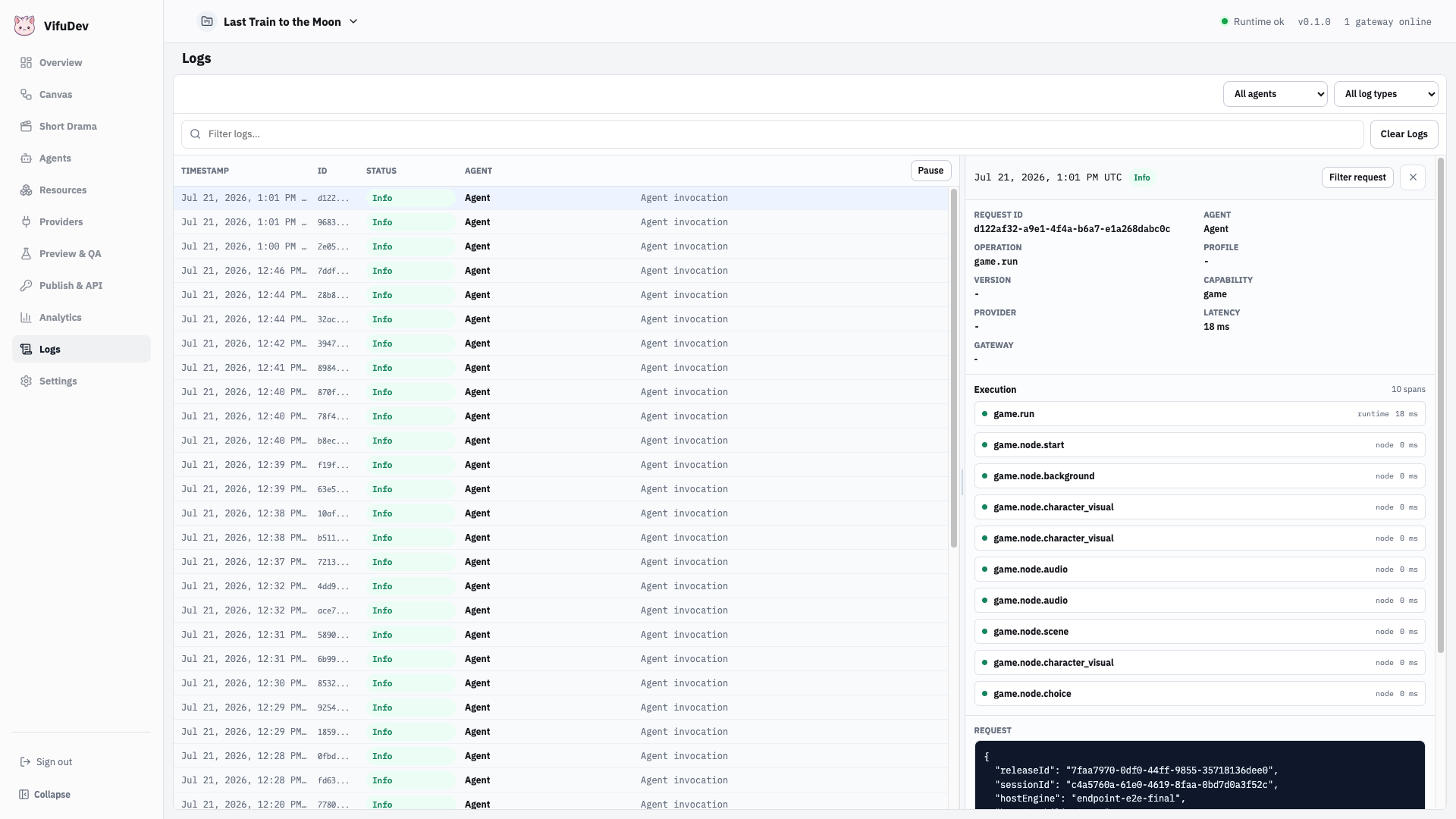
Open Logs to inspect the request trace and its Agent effect spans. Request and response summaries, latency, and failures stay together under the Game command that caused them.
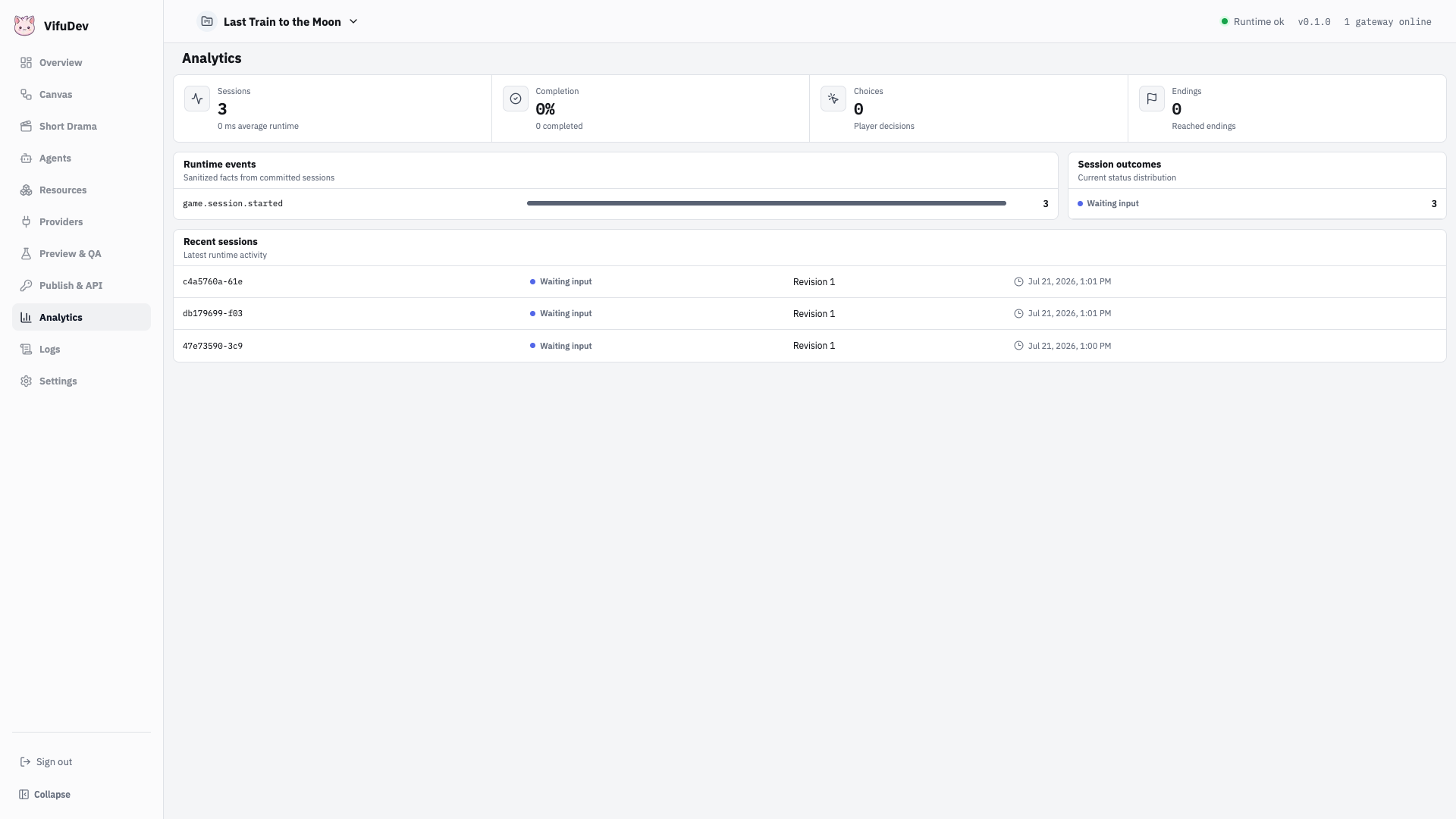
Open Analytics to review published sessions, completion, choices, endings, and runtime event counts. Draft Preview sessions are excluded from these production-facing totals.
Release checklist
- Provider and all required Agents report Online.
- Every presentation resource uses an approved version.
- Canvas validates with no blockers.
- The project has an active published release.
- A fresh endpoint session can reach each intended ending.
- The Web package creates a revocable launch channel.
- The exported browser package contains no administrator, management, or Provider credential.
- Logs contain the complete Game command and Agent spans.
- Analytics records endpoint sessions while excluding Vifu previews.